Oct 24, 2017

ExtremeNetworks had released the patch files for KRACK

ExtremeNetworks had released the patch files for KRACK (Key Reinstallation Attack).

You could find the detail information from the following URL
https://extremeportal.force.com/ExtrArticleDetail?n=000018005

CWNP also release one Nice document for KRACK
https://www.cwnp.com/krack-s-not-bad-you-think/

Oct 10, 2017

Extreme Wireless adds 6Ghz Mid-band in FCC

FCC is filing for unlicensed spectrum allocation in the 6GHz band. Extreme Networks has signed into this filising. Really expect the new Extreme wireless products for 6GHz!

The article I referenced:
http://www.fiercewireless.com/wireless/apple-facebook-and-more-lobby-for-expanded-use-6-ghz-band-for-unlicensed-use

While saying they’ll play nice with incumbents, a diverse set of players—Apple, Cisco, Google, Facebook, Broadcom, Intel, Qualcomm, Hewlett-Packard Enterprise and more are among them—is pushing the FCC to set aside more spectrum for unlicensed users in the 6 GHz band.

About 30 entities signed the filing (PDF), all agreeing that Part 15 access to the 5925-7125 MHz band (aka the 6 GHz band) is essential in meeting demand for the next generation of wireless broadband services. The companies span the consumer equipment, internet media, software, cloud, semiconductor, enterprise, service provider and rural connectivity industries. Their proposal is in response to the FCC’s call for comments on expanding flexible use in mid-band spectrum between 3.7 and 24 GHz.

Specifically, they’re proposing that the FCC consider establishing multiple 6 GHz sub-bands, ensuring that technical rules and interference protections for each segment of the band are appropriate to incumbents operating in the frequencies. Taken together, the four sub-bands can be referred to as one 6 GHz band. 

The four sub-bands proposed are:

U-NII-5: 5925-6425 MHz
U-NII-6: 6425-6525 MHz
U-NII-7: 6525-6875 MHz
U-NII-8: 6875-7125 MHz
Proximity, proximity

One of the big reasons for the 6 GHz fanfare is its proximity. The 5.925-7.125 GHz band is adjacent to current unlicensed U-NII bands, meaning existing technologies designed for the 5 GHz band can be rapidly deployed. The technology manufacturers signing onto the proposal say they are committed to delivering 6 GHz-capable products and services to the market in a timely manner.

Another reason: The IEEE recently voted to extend coverage to the 6 GHz band, so the latest 802.11ax technology will be extended to gigabit-enabled channels, which is key as everyone sets their sights on gigabit speeds.

Broadcom believes this is the best band for the commission to focus on for the expansion of unlicensed, according to Christopher Szymanski, director, Product Marketing and Government Affairs at Broadcom.

“We’re under a spectrum crunch. Wi-Fi has been wildly successful,” he said, citing various reports showing roughly 80% of mobile traffic from cell phones goes over Wi-Fi. Yet there hasn’t been a corresponding increase in the airwaves devoted to Wi-Fi. “We think it’s very important that the commission move quickly. We’re not looking to displace, we’re looking to protect.”

RELATED: FCC eyes midband spectrum between 3.7 and 24 GHz

Chuck Lukaszewski, vice president, Wireless Strategy at Hewlett Packard Enterprise (HPE), said the band is active with a lot of other users and the industry will need to show that it can safely coexist in that environment. But given Wi-Fi’s track record, that should not be a problem.

“We have been working successfully for almost 20 years with incumbents, both federal and non-federal, and co-existing between unlicensed technologies, and the industry has shown in the 2.4 GHz band, which is not part of this proceeding, that Wi-Fi can coexist just fine with Bluetooth, ZigBee and all the other unlicensed technologies.  

“I think our track record is such and the Part 15 rules are such that we’re going to conclusively demonstrate that we can very safely operate at low power levels that Wi-Fi employs and allow more intensive sharing of the band while fully protecting those incumbents,” Lukaszewski told FierceWirelessTech.

Here’s a list of the entities backing the 6 GHz proposal: All Points Broadband, Amplex Electric dba Amplex Internet, Apple, Blaze Broadband, Broadcom, Cambium Networks, Cisco Systems, Computer Office Solutions dba Snappy Internet, Cypress Semiconductor Corporation, Dell, Electronic Corporate Pages dba Western Broadband, Extreme Networks, Facebook, Google, Hewlett-Packard Enterprise, HP, Intel, Interwest Management Services dba Fire2Wire, JAB Wireless dba Rise Broadband, 23 Joink, MediaTek, MetaLINK Technologies, Microsoft, New Wave Net, Pixius Communications, Qualcomm, Ruckus, Sony Electronics, the Wireless Internet Service Provider Association and Wisper ISP.

While not listed among the signatories, the Wi-Fi Alliance made similar points, saying the 6 GHz band is ideal to help meet demands for Wi-Fi. The group noted that recent NTIA action foreclosing unlicensed operations in the 5.35-5.47 GHz (U-NII-2B) band significantly disrupted Wi-Fi industry plans to accommodate growing demand in the mid-band spectrum.

T-Mobile, Ericsson suggest licensed mobile uses 

While wireless operators and their vendors directed much of their commentary in the mid-band proceeding to the 3.7-4.2 GHz band, they also weighed in on the 5.925-6.425 and the 6.425-7.125 GHz bands.

T-Mobile says the commission should consider not only the 3.6-4.2 GHz band for wireless broadband, but also the 6.425-7.125 GHz band as well. “T-Mobile urges the Commission to consider making some or all of this band available for licensed mobile broadband use,” the operator said in its filing.

Ericsson also suggested the commission take a close look at the 6.425-7.125 GHz band for mobile services, saying the band could serve as a great complement to the millimeter wave band for use cases in urban core and densely populated areas and beyond. By example, the company said the band could be particularly useful for applications such as automotive/connected car.

Taking a different tact, Verizon said that with regards to the 5.925-6.425 GHz band, which it noted serves as the corollary Earth-to-space uplink band associated with the 3.7-4.2 GHz band, Verizon itself has several thousand microwave licenses in the band and believes it’s critical that, whatever path the commission chooses, it must protect incumbent users.

However, Verizon said the proximity of the 5.925-6.425 GHz band to the 5.15-5.35 GHz and 5.47-5.727 GHz bands makes it particularly attractive for unlicensed use, and therefore it conditionally supports unlicensed use in the 5.925-6.425 GHz band as long as the commission adopts rules that provide adequate protections to incumbent and future microwave deployments in the band.

Feb 4, 2017

ExtremeNetworks WiNG AP 7602

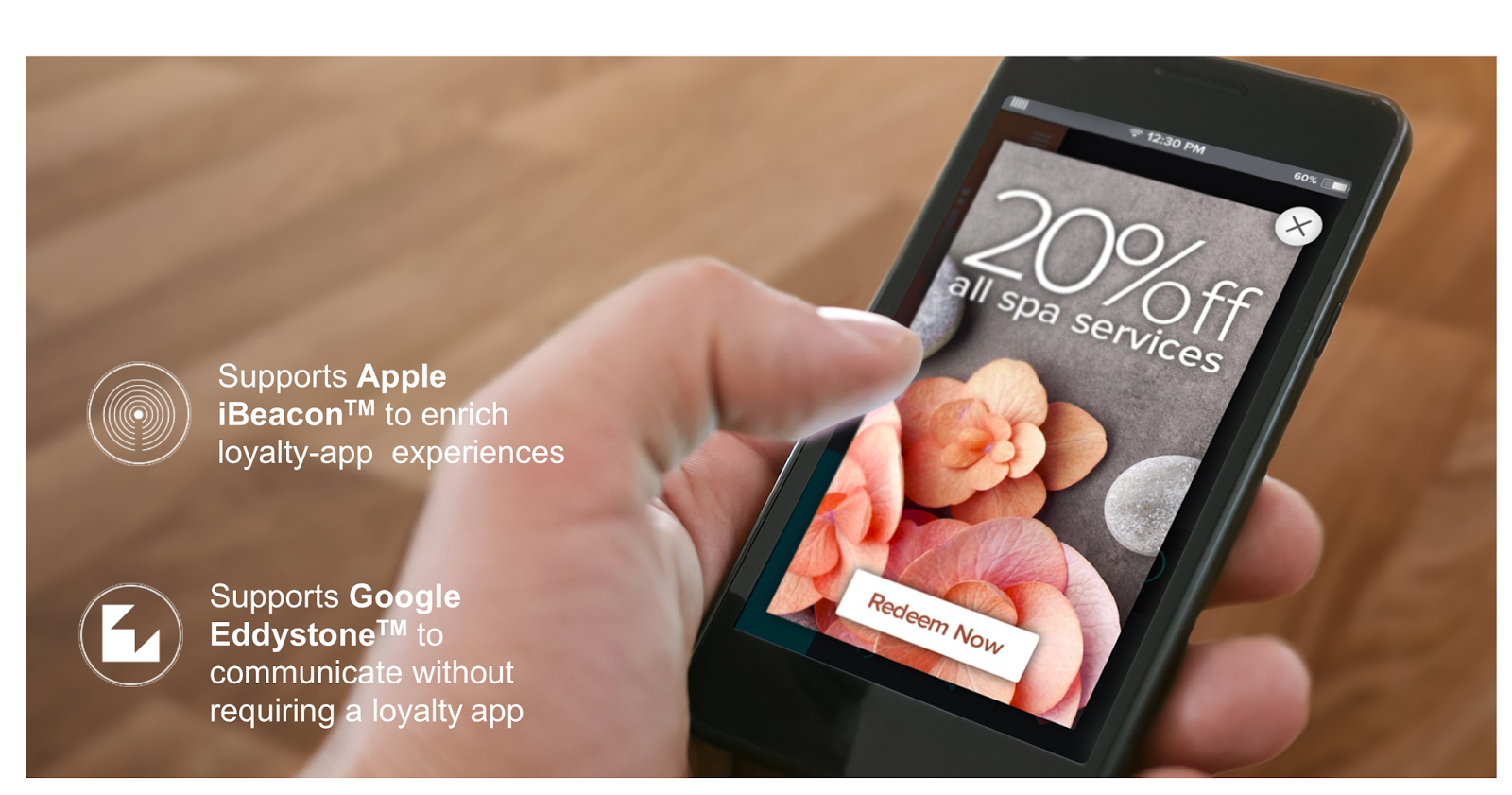
ExtremeNetworks just released ExtremeWireless WiNG AP 7602 as low-priced AP for guest room. But, this AP has the rich functionality. One of them is that AP 3602 integrated Bluetooth technology supports Apple iBeacon to communicate with a loyalty app on a guest's mobile device. Using Google Eddystone, you can send advertisements directly to guests.


For more detail check the following URL
http://www.extremenetworks.com/product/wing-ap-7602/ 

Dec 4, 2016

エクストリーム・ネットワークス:Tag VLAN

Tag VLAN


スイッチ同士をTag接続して、Tagリンクを複数のVLANに所属させる
複数のスイッチを介してVLANが構築できることを確認する

ネットワーク構成


複数のVLANが所属するポートのことをTag ポートと呼びます。
複数のスイッチを介してVLANを構成する場合は、スイッチ同士がつながるポートをTagポートにします。

Untag ポートでは、一つのVLANにしか所属できません。
しかし、1個のポートに複数のVLANのデータが行う場合もあります。
その場合、そのポートをTagポートに設定します。
ポートをTagポートに設定すると、そのポートでMACフレームにVLAN情報を加えて送り出すようになります。

show commands で確認する

##### Switch-1 のコンフィグ #####
* X480-24x.14 # show vlan "Sale" 
VLAN Interface with name Sale created by user
    Admin State: Enabled     Tagging: 802.1Q Tag 100 
    Description: For Sale team PC 
    Virtual router: VR-Default
    IPv4 Forwarding: Disabled
    IPv4 MC Forwarding:  Disabled
    IPv6 Forwarding: Disabled
    IPv6 MC Forwarding:  Disabled
    IPv6:                None
    STPD:       None
    Protocol:            Match all unfiltered protocols
    Loopback:            Disabled
    NetLogin:            Disabled
    OpenFlow:            Disabled
    TRILL:               Disabled
    QosProfile:      None configured
    Egress Rate Limit Designated Port: None configured
    Flood Rate Limit QosProfile:       None configured
    Ports:   2.   (Number of active ports=0)
       Untag:      25

       Tag:        24

* X480-24x.15 # show vlan "Engineer" 
VLAN Interface with name Engineer created by user
    Admin State: Enabled     Tagging: 802.1Q Tag 200 
    Description: For Engineer team PC 
    Virtual router: VR-Default
    IPv4 Forwarding: Disabled
    IPv4 MC Forwarding:  Disabled
    IPv6 Forwarding: Disabled
    IPv6 MC Forwarding:  Disabled
    IPv6:                None
    STPD:       None
    Protocol:            Match all unfiltered protocols
    Loopback:            Disabled
    NetLogin:            Disabled
    OpenFlow:            Disabled
    TRILL:               Disabled
    QosProfile:      None configured
    Egress Rate Limit Designated Port: None configured
    Flood Rate Limit QosProfile:       None configured
    Ports:   2.   (Number of active ports=0)
       Untag:      26

       Tag:        24


* X480-24x.17 # show vlan description 
-------------------------------------------------------------------------------
Name            VID  Description                                                
-------------------------------------------------------------------------------
Default         1                                                              
Engineer        200  For Engineer team PC                                      
Mgmt            4095 Management VLAN                                           
Sale            100  For Sale team PC                                          
-------------------------------------------------------------------------------


* X480-24x.20 # show config vlan
#
# Module vlan configuration.
#
configure vlan default delete ports all
configure vr VR-Default delete ports 1-26
configure vr VR-Default add ports 1-26
configure vlan default delete ports 24-26
create vlan "Engineer"
configure vlan Engineer description "For Engineer team PC" 
configure vlan Engineer tag 200
create vlan "Sale"
configure vlan Sale description "For Sale team PC" 
configure vlan Sale tag 100
configure ports 25 description-string "Connect to PC1"
configure ports 26 description-string "Connect to PC2"
configure vlan Default add ports 1-23 untagged  
configure vlan Engineer add ports 24 tagged  
configure vlan Engineer add ports 26 untagged  
configure vlan Sale add ports 24 tagged  
configure vlan Sale add ports 25 untagged  

enable ports 24-26 


Switch -2 の設定は Switch -1 と同じでございます。

エクストリーム・ネットワークス: ポートVLAN

ポートVLAN


ポートVLANを使ってSwitchにつながるパソコン同士をVlan100に所属する
SwitchのポートにVLAN10が設定されていることを確認する


ネットワーク構成


(192.168.100.1)PC ------ [Port25] Switch [Port26] ------ PC(192.168.100.2) 


Switchのコンフィグ


configure vlan default delete ports 25-26
create vlan "portvlan"
configure vlan portvlan description "Port vlan config" 
configure vlan portvlan tag 100
configure ports 25 description-string "Connect to PC1"
configure ports 26 description-string "Connect to PC2"
configure vlan Default add ports 1-24 untagged  
configure vlan portvlan add ports 25-26 untagged 

enable ports 25-26


Show commandsで確認する


* X480-24x.43 # show vlan description 
-------------------------------------------------------------------------------
Name            VID  Description                                                
-------------------------------------------------------------------------------
Default         1                                                              
Mgmt            4095 Management VLAN                                           
portvlan        100  Port vlan config                                          
-------------------------------------------------------------------------------


* X480-24x.44 # show vlan "portvlan" 
VLAN Interface with name portvlan created by user
    Admin State: Enabled     Tagging: 802.1Q Tag 100 
    Description: Port vlan config 
    Virtual router: VR-Default
    IPv4 Forwarding: Disabled
    IPv4 MC Forwarding:  Disabled
    IPv6 Forwarding: Disabled
    IPv6 MC Forwarding:  Disabled
    IPv6:                None
    STPD:       None
    Protocol:            Match all unfiltered protocols
    Loopback:            Disabled
    NetLogin:            Disabled
    OpenFlow:            Disabled
    TRILL:               Disabled
    QosProfile:      None configured
    Egress Rate Limit Designated Port: None configured
    Flood Rate Limit QosProfile:       None configured
    Ports:   2.   (Number of active ports=0)
       Untag:      25,     26


ポートVLANは、LANスイッチのポートにVLAN番号を設定する方法です。
エクストリームスイッチは、すべてのポイントポイントがVlan 1に所属しています。上記の設定では、スイッチのPort25とPort26をVlan100に所属させて、Port25とPort26につながっているマシン同士しか通信できないようにします。


参考
1.
https://gtacknowledge.extremenetworks.com/articles/How_To/Understanding-EXOS-VLANS-and-tagged-and-untagged-ports/?q=assign+untagg+vlan&l=en_US&fs=Search&pn=1

2.
https://gtacknowledge.extremenetworks.com/articles/Q_A/What-are-tagged-and-untagged-ports

Nov 27, 2016

Very High Throughput (VHT) in 11ac

802.11ac maintains the frame format used by its predecessors. There are two major changes. First, 802.11ac extends the maximum frame size from almost 8,000 bytes to over 11,000 bytes. Second, it reuses the HT Control field from 11n, but does so by defining a new form of the Control field. When the HT Control field begins with a 0, the format is identical to 802.11n and the HT Control field is of the HT-variant type. When the HT Control field begins with a 1, the HT Control field is of the VHT-variant type.


Management Frames

Management frames signal that they are capable of building an 802.11ac network or participating in an 802.11ac network by including the VHT Capabilities Information element. This element is placed in Probe request and Probe response frames to enable client devices to match their capabilities to those offered by a wireless network. The VHT Capabilities Information element, as shown in the following picture, is the core information element used in management frames to set up operation of 802.11ac networks. 


The VHT Operation Information element 

All 802.11 physical layers have an information element (IE) that describes their operation, and the VHT PHY is no exception. The VHT Operation IE, show the following picture, describes the channel information and the basic rates supported by the transmitter.


The following figure shows VHT Capabilities information element in Beacon. The key thing to look for is the number of lines that read "10". A line that reads "10" indicates that a spatial stream is available. A line that reads "11" indicates that no spatial stream is available. That means if three lines read "10" and the remaining five lines read "11", then there are three spatial streams available for my AP.


What does that mean for data rates?

1 spatial stream: 6.5 Mbps to 433 Mbps data rates
2 spatial stream: 6.5 Mbps to 867 Mbps data rates
3 spatial stream: 6.5 Mbps to 1.3 Gbps data rates


Reference 
https://sniffwifi.wordpress.com/


WiFi for iPhone6

The big news about the iPhone 6 is 802.11ac.  Yippee!  Apple has finally adopted the latest and greatest WiFi standard in a mobile device.
802.11ac has data rates as high as 6.9 Gbps in the standard, but wireless LAN folks know that’s not what happens in real life.  Real 802.11ac devices top out at a 1.3 Gbps data rate when multiple input-multiple output (MIMO) antenna systems are supported, while non-MIMO devices top out at 433 Mbps.
The iPhone 6 and iPhone 6 Plus are non-MIMO 802.11ac devices.  That means a top rate of 433 Mbps.  That is higher than the top rate of the 802.11n-supporting iPhone 5 and iPhone 5S, which is 150 Mbps.  And that is where Apple gets the justification for putting this on their site:
You see, 433/150 = almost 3.  That means three times faster wireless!  Except it doesn’t.
802.11ac is basically the same thing as 802.11n.  I know that 433 and 150 seem like very different numbers, but in most real world cases, they’re actually the same.
Here’s how it works:
802.11n = 150 Mbps –>

–> Normal 802.11ac = 150 Mbps –>

–> 802.11ac with clear line of sight and a distance less than 30ft/10m = 200 Mbps –>
(That’s because when you’re that close and there are no obstructions, then 802.11ac can use a technology called 256-QAM, which allows waves to carry 8 bits of data rather than 6 bits.  8/6 = 200/150, so that means that adding 256-QAM boosts the top data rate to 200 Mbps.)
–> 802.11ac with clear line of sight and a distance less than 30ft/10m and 80 MHz channels enabled = 433 Mbps
(80 MHz channels are no good for high capacity WiFi.  Instead of being able to split users up amongst 9 [if disabling dynamic frequency selection {DFS}] or 21 [if enabling DFS] channels, an 80 MHz wireless network only has 2 [non-DFS] or 4 [DFS] channels. 
Think about the average high-capacity wireless network.  Do the users have a line of sight to the APs?  Usually, No.  Are the users within thirty feet (ten meters) of the APs?  Often, No.  Is it better to spread users out among four or five times as many channels?  Definitely, Yes.  If you agree with these answers, then 802.11ac in the iPhone 6 and iPhone 6 Plus reverts to the 150 Mbps data rates used in the iPhone 5 and iPhone 5S.
A year ago, yours truly wrote that non-MIMO devices were going to be around for a while.  MIMO drains battery life faster and it can cause a device to heat up.  So, the lack of MIMO in the new iPhones is no surprise.  But it is disappointing.  And it comes down to this:
802.11n w/ MIMO > 802.11ac w/o MIMO

The iPad Air, which has been out for about a year now, is a mobile device from Apple that supports MIMO.

Reference 
https://sniffwifi.wordpress.com/category/802-11ac/

Nov 19, 2016

raw_iput と print

今回のPostは、raw_input()とprintを紹介したいです。二つ函数とも build-in function でございます。

>>> help(raw_input)
Help on built-in function raw_input in module __builtin__:

raw_input(...)
    raw_input([prompt]) -> string
    
    Read a string from standard input.  The trailing newline is stripped.
    If the user hits EOF (Unix: Ctl-D, Windows: Ctl-Z+Return), raise EOFError.
    On Unix, GNU readline is used if enabled.  The prompt string, if given,
    is printed without a trailing newline before reading.


上記の英語から、raw_input()の意味はなんとなくわかると思います。試しましょう!


>>> raw_input("input your name:")
input your name:HelloPython
'HelloPython'
>>> 
>>> name=raw_input("input your name:")
input your name:HelloPython
>>> name
'HelloPython'
>>> type(name)

>>> age = raw_input("How old are you?")
How old are you?30
>>> age
'30'
>>> type(age)


>>> print "Hello world"
Hello world
>>> a = "Hello"
>>> b = "python"
>>> print a
Hello
>>> print b
python
>>> 
>>> print a, b
Hello python

Wireless LAN Site Survey - 2

Interviewing managers and users

It is recommended to create some type of checklist or formal site survey questionnaire to use during the interview process. Some generic interview questions that will pertain to most installations are as follows:
  • Has a site survey ever been performed in the past?
  • Are any blueprints, floor plans, or any other site-specific documentation available?
    • In an office or enterprise environment, furnishing many consist of desks, cabinets, chairs, and other items.
    • In warehousing and retail environments, furnishing will include storage racks and shelving as well ass product inventories
    • In manufacturing environments, information should be gathered about the location of industrial equipment used in the manufacturing process and about equipment used to move product throughout the factory
    • In medical environments, furnishings or equipment will include devices that may cause interference and operate in the same frequency range as the proposed wireless network. Storage of items used with in the hospital or medical environment for patients and employees may also affect RF coverage
  • How many users anticipate using the wireless network?
  • Will public access be required?
  • Is there any preference for a specific manufacturer's equipment?
  • What is the coverage area?
  • Is an existing wireless network in place?
    • Existing wireless networks
    • Existing wired networks
  • Are there any known area of RF interference?
  • Are there any known areas that may lack RF coverage?
  • What type of application will be use?
  • Will voice or other applications that require quality of service be used?
  • Is roaming required?
  • Is Power over Ethernet (PoE) required?
  • What are the wireless security requirement?
  • Will an escort be required
  • Are there any legislative compliance requirements?


Above question list is from CWAP

ExtremeWireless - BYOD Lab - 6

In this post, I introduce that how to integrate Networks Access Controller (NAC) with ExtremeWireless Contoller (EWC) which includes

  • Configure NAC gateway
  • Config Authentication setting for integration

Configure NAC gateway

As you could see the following topology which we had shown in BYOD lab - 1, NAC is between EWC and Radius Server. From EWC view, NAC is the security gateway.


Configure NAC gateway

Open ExtremeManagment and Add access Control Engine, in this example, ip address is 192.168.10.3 and name is GTAC-NAC. Then, select the current profile which you created and save. 


Add EWC into NAC, Select Switches tag and Add Switches as the following
  • Set the primary Gateway parameter to the IP address of the NAC Gateway
  • Set the Auth Access Type to Network Access to set the Radius configuration type directly to the set of selected device
  • The Gateway radius attributes to send attribute selection will depend on the device type. Since the ExtremeWireless Controller supports both the Extreme Policy and RFC3580, we choose RFC 3580-VLAN ID & Extreme IdentFI Wireless.
  • Enable Radius Accounting 
Note, the Extreme IdentiFi Wireless attributes, will send the Policy/Role via the Filter-ID with the addition of the Login-LAT-Port. The Login-LAT-Port will notify the controller if the end-user is authenticated. Policies Roles such as Quarantine and Unregistered are considered non-authenticated roles.


By doing the similar way, NAC could add radius server as you could see the following picture.


At last, please do not forget to click "Enforce" button.
 

Config Authentication setting for integration

On the other side, you need to add NAC as the security gate way into wireless controller, as shown in the following picture.


Nov 14, 2016

Spine and Leaf architecture

As virtualization, cloud computing, and distributed cloud computing (Hadoop, for example) becomes more popular in the data center, a shift in the traditional three-tier networking model is taking place as well.
The traditional core-aggregate-access model is efficient for traffic that travels “North-South”, which is traffic that travels in and out of the data center. This kind of traffic is typically a web service of sorts–HTTP/S, Exchange, and Sharepoint, for example–where there is a lot of remote client/server communication. This type of architecture is usually built for redundancy and resiliency against a failure. However, 50% of the critical network links are typically blocked by the Spanning-Tree Protocol (STP) in order to prevent network loops, just to sit idly as a backup, which means 50% of your maximum bandwidth is wasted (until something fails). Here is an example:

This type of architecture is still very widely used for service-oriented types of traffic that travel North-South. However, the trends in traffic patterns are changing with the types of workloads that are common in today’s data centers: East-West traffic, or server-to-server traffic. Take a look at the diagram above. If a server connected to the left-most access switch needs to communicate with a server connected to the right-most access switch, what path does it need to take? It travels all the way to the core switch and back down again. That is not the most efficient path to take, and causes more latency while using more bandwidth. If a cluster of servers (this number can be in the hundreds, or even thousands) is performing a resource-intensive calculation in parallel, the last thing you want to introduce is unpredictable latency or a lack of bandwidth. You can have extremely powerful servers performing these calculations, but if the servers can’t talk to each other efficiently because of a bottleneck in your network architecture, that is wasted capital expenditure.
So how do you design for this shift from North-South to East-West traffic? One way is to create a Spine and Leaf architecture, also known as a Distributed Core. This architecture has two main components: Spine switches and Leaf switches. You can think of spine switches as the core, but instead of being a large, chassis-based switching platform, the spine is composed of many high-throughput Layer 3 switches with high port density. You can think of leaf switches as your access layer; they provide network connection points for servers, as well as uplink to the spine switches. Now, here is the important part of this architecture: every leaf switch connects to every spine switch in the fabric. That point is important because no matter which leaf switch a server is connected to, it always has to cross the same amount of devices to get to another server (unless the other server is located on the same leaf). This keeps the latency down to a predictable level because a payload only has to hop to a spine switch and another leaf switch to get to its destination.

Before you design an architecture like this, you will need to know what the current and future needs are. For example, if you have a server count of 100 today and that will eventually scale up to 500 servers, you need to make sure your fabric can scale to accommodate future needs. There are two important variables to calculate your maximum scalability: the number of uplinks on a leaf switch and the number of ports on your spine switches. The number of uplinks on a leaf switch determines how many spine switches you can have in your fabric–remember: every leaf switch has to connect to every spine switch in the fabric! Also, the number of ports on a spine switch determines how many leaf switches you can have; this is why spine switches need to have a high port density. Let’s take the example of 100 servers today with a need to scale to 1000 servers in the future. If we plan on using a 24-port 10Gbps switch for the leaf layer, utilizing 20 ports for servers and 4 ports for uplinks, we can have a total of 4 spine switches. If each spine switch has 64 10Gbps ports, we can scale out to a maximum of 64 leaf switches. 64 leaf switches x 20 servers on each switch = 1280 maximum servers in this fabric. Keep in mind this is a theoretical maximum and you will need to accommodate for connecting the fabric to the rest of the data center. Regardless, this design will allow for seamless scalability without having to re-architect your fabric. You can start off with 5 leaf switches and 4 spine switches to meet your current need of 100 servers and scale out leaf switches as more servers are needed.
Another factor to keep in mind when designing your fabric is the oversubscription ratio. This ratio is calculated on the leaf switches, and it is defined as the max throughput of active southbound connections (down to servers) divided by the max throughput of active northbound connections (uplinks). If you have 20 servers each connected with 10Gbps links and 4 10Gbps uplinks to your spine switches, you have a 5:1 oversubscription ratio (200Gbps/40Gbps). It is not likely that all servers are going to be communicating at 100% throughput 100% of the time, so it is okay to be oversubscribed. Keeping that in mind, work with the server team to figure out what an acceptable ratio is for your purpose.
Advantages:
  1. It is possible to use low-cost 1U or 2U Spine Switches Vs. Expensive Chassis-based Core Switches.
  2. It is possible to start small and expand the Spine/Leaf network by adding more switches, when required, without discarding the existing setup.
  3. There are networking vendors who make specialized Leaf/Spine switches.
  4. It is possible to configure the Distributed Core network to offer maximum redundancy/resiliency. Even if a Spine Switch fails, there will only be a performance degrade Vs. Service outage.
  5. It is possible to achieve higher throughput/bandwidth & connect more servers with Distributed Core networks Vs. Core-Aggregation-Edge Networks.
  6. Leaf/Spine networks can handle both East-West traffic (Server to Server: Cloud computing, Hadoop, etc.) and North-South traffic (Web content, Email, etc.) efficiently. The traditional networking model is more suitable for the latter, and expansion is limited.
  7. It is possible to use Standards-based protocols (even in a multi-vendor setup) to implement Leaf-Spine networks. But some vendors have developed their own proprietary protocols/fabrics, as well.
  8. Distributed Core networks enable Containerized (and Expandable) Data Centers.
  9. Networks can scale up/down/out massively and quickly.
  10. Can handle East-West (Server to Server) traffic efficiently.

Reference 
1. http://www.cisco.com/c/en/us/products/collateral/switches/nexus-9000-series-switches/guide-c07-730115.html
2. http://thenetworksurgeon.com/cisco-spine-and-leaf-architecture-discussion-nexus-5500-vs-6001/
3.http://www.excitingip.com/4490/distributed-coreleaf-spine-network-architecture-an-intro/

Nov 13, 2016

エスケープシーケンス

Pythonの中には1文字では表せない文字も存在します。例えば改行です。このような特別な文字を表示させないために使われるのがエスケープシーケンスです。

エスケープシーケンス意味
¥¥「¥」文字そのもの
¥'シングルクオーテーション
¥"ダブルクオーテーション
¥aベル
¥bバックスペース
¥f改ページ
¥rキャリッジリターン
¥n改行
¥t水平タブ
¥v垂直タブ
¥N{name}Unicode データベース中で名前 name を持つ文字
¥uxxxx16ビットの16進数値xxxxを持つUnicode文字
¥Uxxxxxxxx32ビットの16進数値xxxxxxxxを持つUnicode文字
¥ooo8進数oooを持つASCII文字
¥xhh16進数hhを持つASCII文字
¥0NULL
¥+(改行)文字列を途中で改行する

しかし、もしここで ¥ 元の意味を表せたい場合はどうすればいいですか?例えば、


>>> dos = "c:\news"
>>> dos
'c:\news'
>>> print dos
c:
ews


上記のご覧の通り、Print で出力された文字列は問題があります。この時、"r" を利用しましょう。すると、

>>> dos = r"c:\news"
>>> print dos
c:\news
>>> print r"c:\news\python"
c:\news\python
>>> 

"r"を使用すると、¥元の意味が正しく表示されます。

文字列

文字列(String)は、0あるいは0以上文字から構成されたものです。S=a[1]a[2]...a[n]。
Pythonのなかに全てのものは Object と定義されます。例えば、”Hello, World”は Objectである。文字列のObject Type は、Str で表示されます。文字列タイプの Objectは ’’、あるいは "" を囲まれます。例えば、

>>> "I love Python"
'I love Python'
>>> 'I love Python too'
'I love Python too'

>>> 

また、Python の中には、type()の関数を使い、Object Type が確認できます。例えば、

>>> 250
250
>>> type(250)
>>> type("250")


しかし、下記の文字列を入力した時、このような結果が出力されます。

>>> 'what's your name'
  File "", line 1
    'what's your name'

          ^
SyntaxError: invalid syntax

ここで、SyntaxError:invalid syntax が出力されました。invalid syntax は無効の文法でございます。この解決は以下の2つがあります。

1.""を使います

>>> "what's your name"
"what's your name"

2.\ を使います

>>> 'what\'s your name'
"what's your name"


Pythonの中に”変数はTypeがない、ObjectはTypeがあり”と言われます。変数はラベル見たいものでございます。Objectにラベルを貼ることができます。

>>> b = "hello,world"
>>> b
'hello,world'
>>> print b
hello,world
>>> type(b)

また、”+”を使い、二つの文字列を繋げることができます。例えば、

>>> "py" + "thon"
'python'

下記のプログラムを実行すると、エラーを出力されます。

>>> a = 1234
>>> b = "Glod"
>>> 
>>> print b + a 
Traceback (most recent call last):
  File "", line 1, in
TypeError: cannot concatenate 'str' and 'int' objects

出力されたメッセージの意味は、StrのType と IntのType を繋げることができないということです。

>>> print b + str(a)
Glod1234

>>> print b + `a`
Glod1234

>>> print b + repr(a)
Glod1234

実は、repr()という関数は``の代理品ようなものでございます。repr()関数は与えた値と等価な値を返す。


Wireless LAN Site Survey - 1

The main objectives of a wireless LAN site survey are to find areas of RF coverage and interference source as well as installation locations for hardware infrastructure devices such as access points, antennas and any other devices that will be used with the wireless LAN.

Knowing the expectation of the client or business in regard to the wireless LAN is a critical part of a successful Wireless LAN Site Surveys. To understand these client expectations, it is necessary to gather much information. The scope of the wireless LAN Site Surveys is dependent on many factors, some of which include:

  • Size of physical location
  • Intended use of the network
  • Number of users
  • Performance expectations

Size of Physical Location

Depending on the size of the physical location in which the wireless network will be installed, a complete wireless LAN site survey may not be necessary. For example, one sandwich shop is approximately 1,200 square fee, has seating for about 15 people. In this case, a single access point would be sufficient for the number of users who access the wireless network at any one time. Although a full-blown site survey determining areas of RF interference coverage and interference would more than likely not be required, it would still be beneficial to visit the location and determine the best place for the access point. In a situation like this, a site survey may be all that is necessary. This would include testing the are to determine the best RF channel to use as well as access point mounting, and connecting to the wired network for access to Internet. 

Intended use of the network

The intended use of this wireless network will consists of staying online and browsing the Internet or checking email. It is unlikely many users would be performing any high-end or bandwidth intensive application on this type of connection. 

Number of users

As the number of actual users grows, the need for additional access points will also increase.

Performance expectations

Keeping in mind that wireless networks are half-duplex and contention-based, many factors will affect the performance of a wireless LAN, including the number of users, types of applications used, location, and the number of infrastructure devices providing access. 

Basic RF Antenna Concepts - 3

WLAN Antenna Types

Three common types of antennas for use with wireless LANs are:

  • Omnidirectional / Dipole antennas
  • Semi-directional antennas 
  • Highly directrional antennas

Omnidirectional Antennas

Omnidirectional antennas are very common on most access points. An omnidirectional antenna has a horizontal beamwidth of 360. The vertical beamwidth will vary depending on the antenna's gain. As the gain of the antenna increases, the horizontal radiation pattern will increase, providing more horizontal coverage. However, the vertical radiation pattern will decreases, therefore providing less vertical coverage.

The shape of the radiation pattern from an omnidirectional antenna looks like a donut, as shown in the following picture.

 
Above picture from CWAP

Omnidirectional antennas are one of the most common type of antennas for indoor wireless LAN deployments. Most of this type antenna typically has a low gain of 2 dBi or 3 dBi and connects directly to an access point. 

Azimuth and elevation charts are usually available to allow  visualization of the RF radiation pattern emitted from the antenna, as shown in the following picture. 


Semidirectional Antennas

Semidirectional antennas take power from the transmitting system and focus it into more specific pattern than an omnidirectional antenna offers. Semidirectional antennas are available in various types, including patch, panel, sector and Yagi. 

Patch/Panel

In the wireless LAN world, the terms patch and panel are commonly used to describe the same type of antenna. A patch/panel antenna can have a horizaontal beamwidth of as high as 180, but usually the horizontal beamwidth is between 50 and 80. The following picture shows a 2.4Ghz flat patch antenna. 

above picture from CWAP

Azimuth and elevation charts are available for patch/panel antennas, as shown in the following picture. 

Sector

Sector antennas are often used for base station connectivity for point-to-multipoint connectivity. Sector antennas have an azimuth that varies from 90 from 180. The following are pictures for sector antennas.

above pictures from CWAP.

Yagi 

Yagi antennas are designed to be used indoors in long hallways and corridors, or outdoors for short-range bridging. Yagi antennas have vertical and horizontal beamwidths range from 25 to 65. The following are pictures for Yagi antennas.


Highly Directional Antennas

Highly directional antennas are typically parabolic dish antennas used for long-range point-to-point bridging links. Some manufacturers of parabolic dish antennas advertise ranges of 25 miles or more. Parabolic dish antennas have very narrow horizontal and vertical beamwidths. This beamwidth can range from 3 to 15. The following are pictures for Highly directional antennas.